
Our small character inkjet printers support mainstream inks available on the market, with pre-stored matching viscosity curves for all common ink types built into the device.
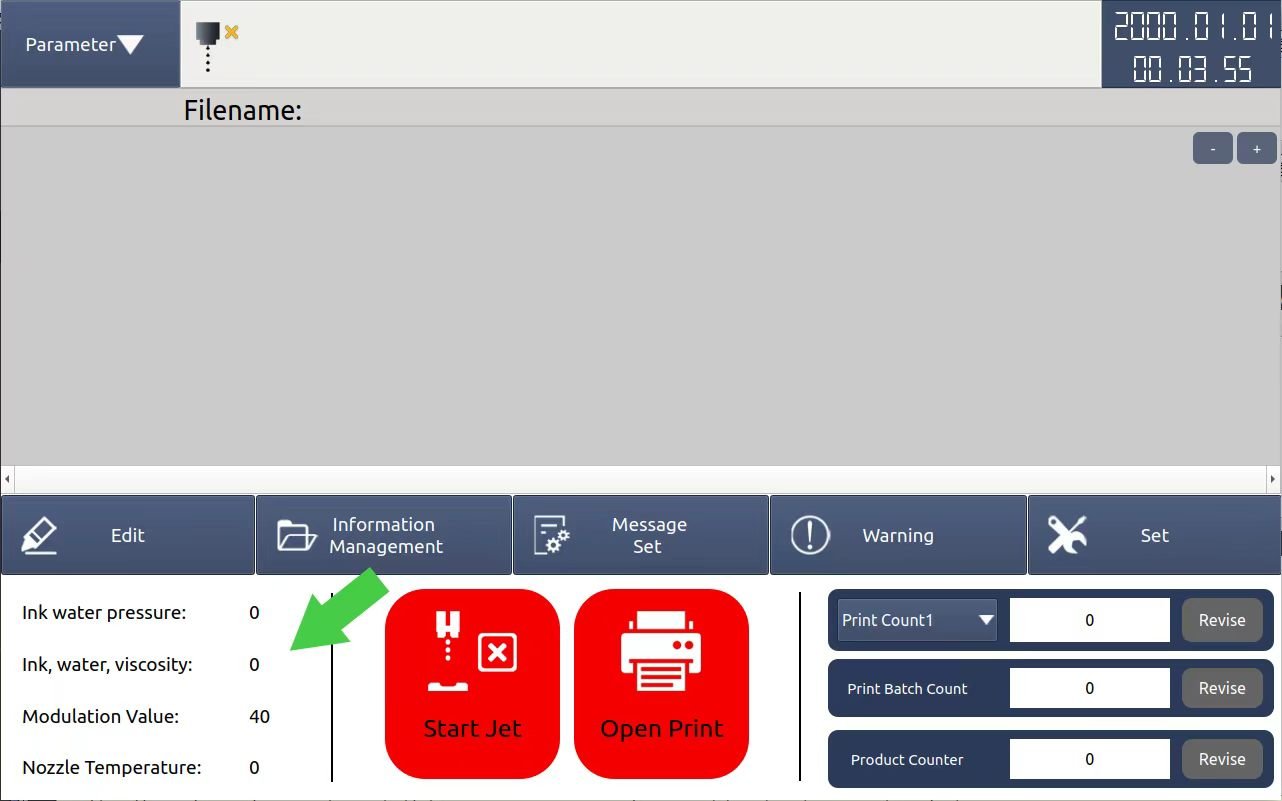
1.If you are uncertain which ink model corresponds to your consumable, do not add solvent when refilling ink for the first time. Tap the 【Start Jet】 button to activate the ink line and keep it running for several minutes. The machine will automatically detect the ink and display the measured viscosity value in the 「Ink, water, viscosity」 field on the main interface.
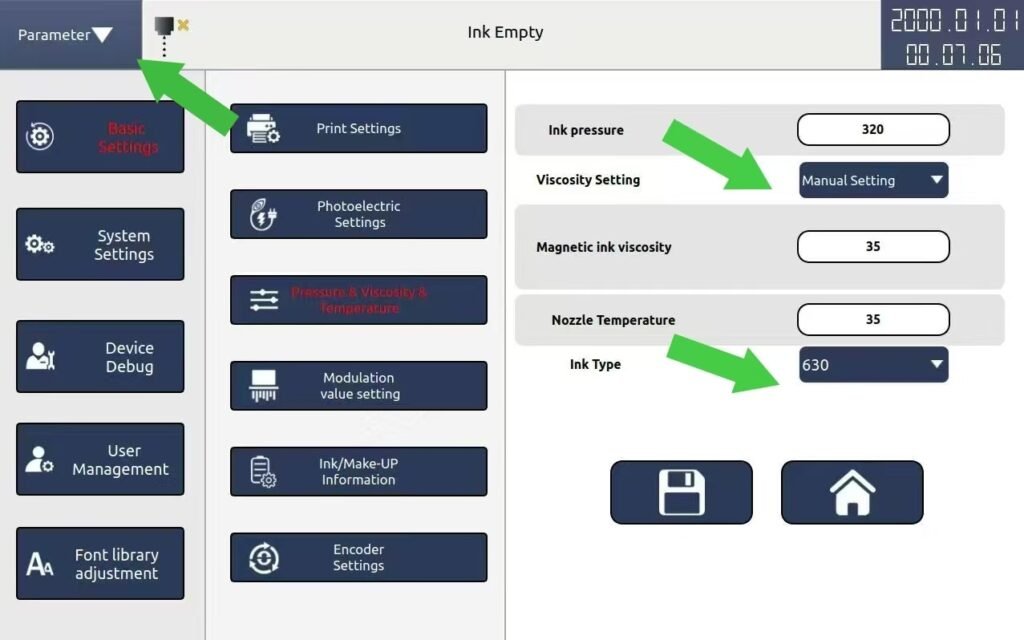
2.Go to the ink type setting page, set the viscosity control mode to automatic first, then select an ink type. Click the 【Parameter】 button at the top left of the screen to compare the Actual Viscosity with the Set Viscosity
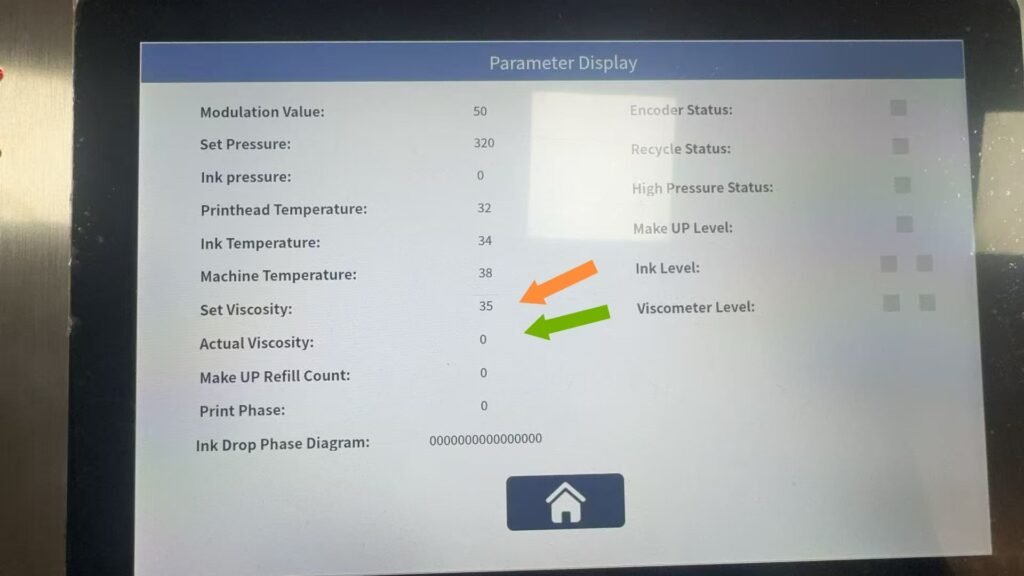
•If the two values are close, the ink model is matched successfully and the setup is finished;
•If there is a big difference between the values, choose another ink model and test again until the viscosity values match.