
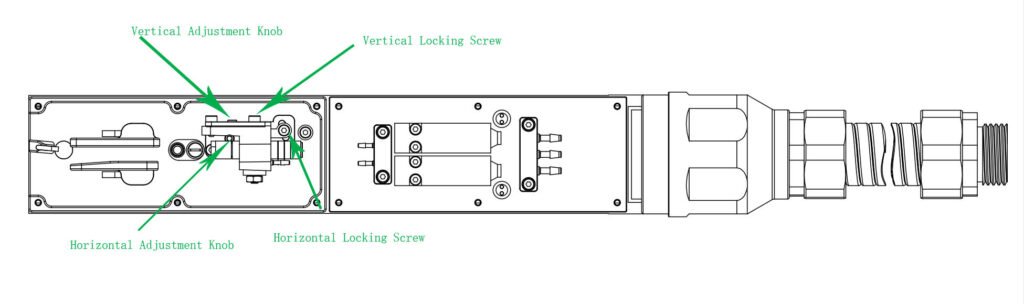
1.Horizontal Adjustment Steps
a.Loosen the horizontal locking screw.
b.Turn the horizontal adjustment knob to move the ink line into the recovery port, aligning it at the 1/4 position on the side close to the deflection plate. (See figure below)
c.Tighten the horizontal locking screw after adjustment.
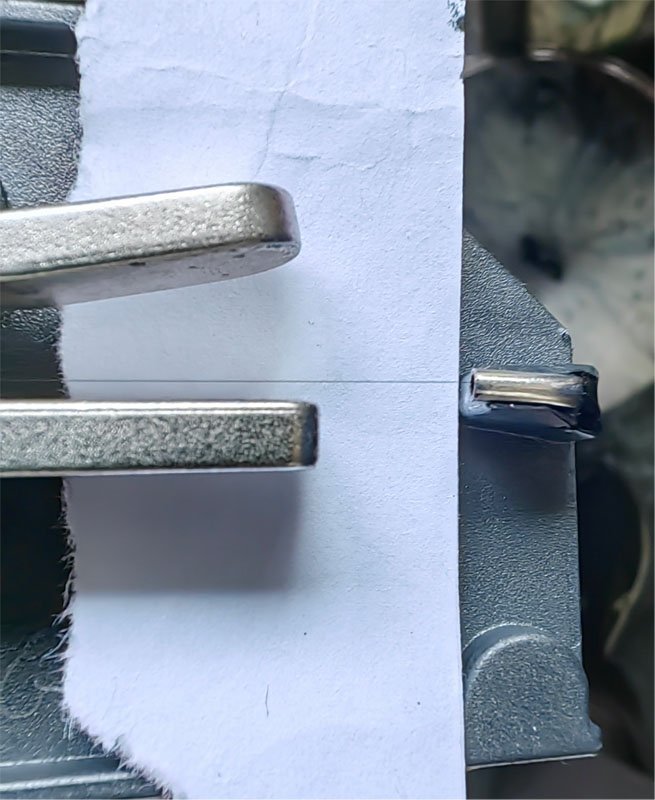
2.Vertical Adjustment Steps
a.Loosen the vertical locking screw.
b.Turn the vertical adjustment knob to center the ink line vertically in the middle of the recovery port.(See figure below)
c.Tighten the vertical locking screw after adjustment.
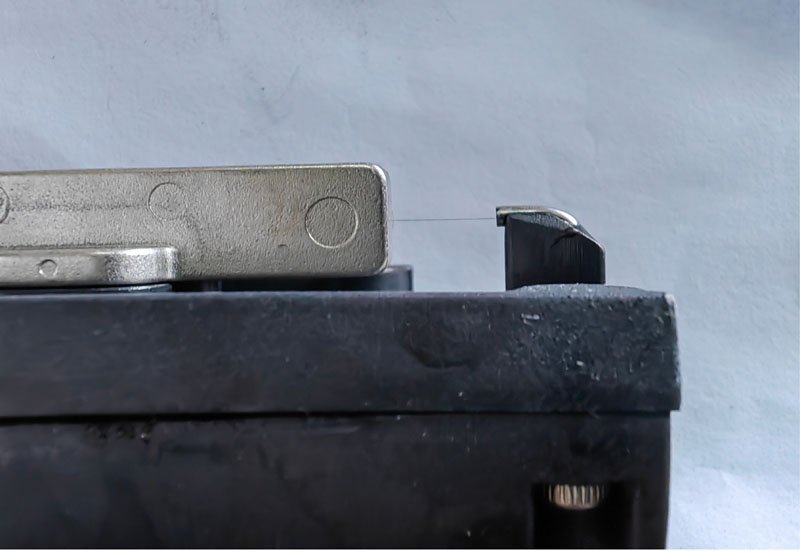
Supplementary Operation Tips
If the ink line deviates from the standard position, fine-tune the nozzle adjustment knob to correct the ink trajectory. After adjustment, check the ink line from both side and top views until it meets the specifications, so as to avoid faults including ink leakage, poor ink recovery and broken printed characters.